Architecture & Specifications

Complete On-Device Media Engine — Specifications & Architecture

A private desktop platform organizing your media, generating studio content, and orchestrating team workflows without cloud dependency.

ILOOPSTECH Engine — library.pdd
ILOOPSTECH AI Media Library

01 / Neural Vision & Smart Indexing

Smart Library. Intelligence at its core.

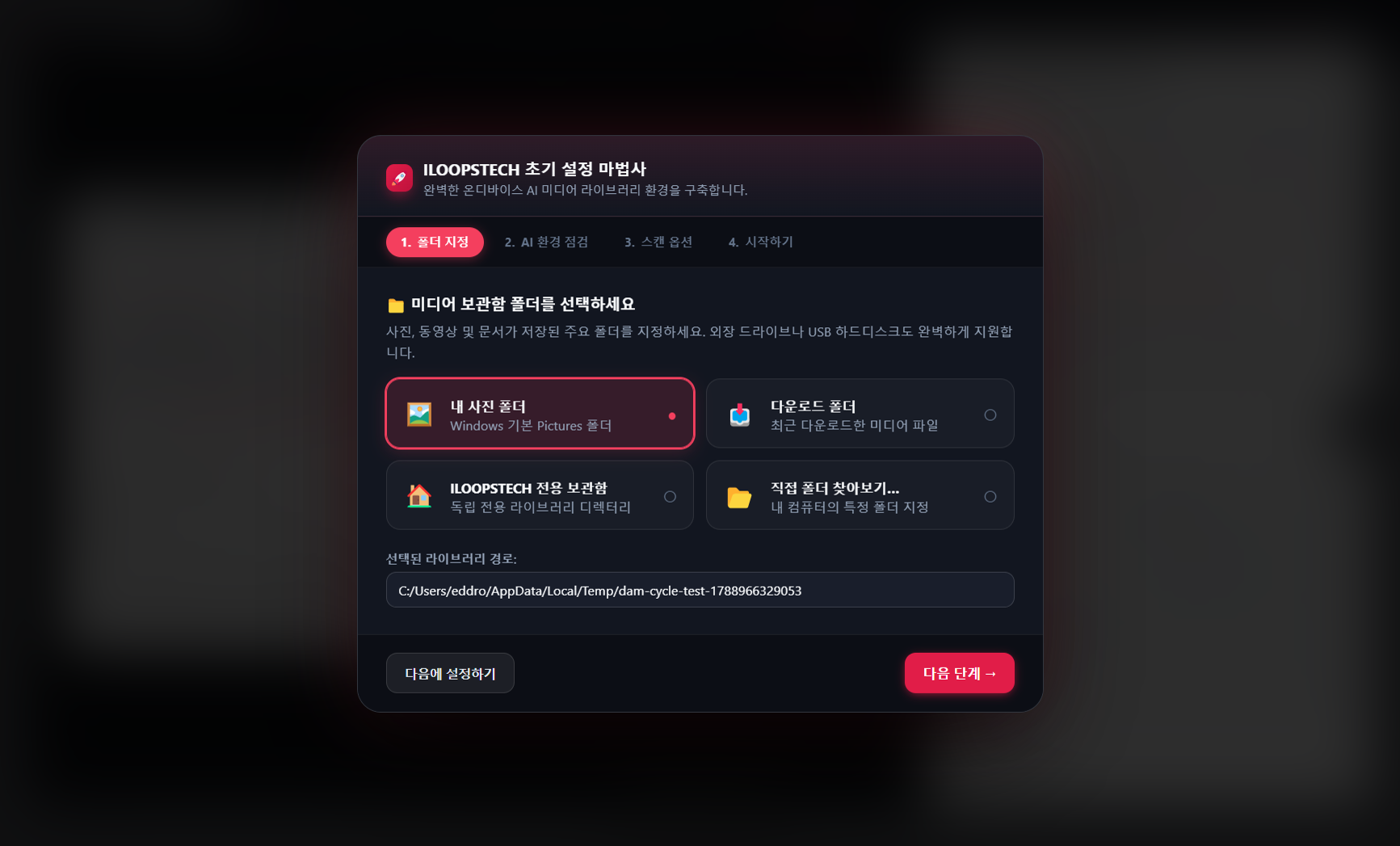
Connect your drives to unlock an instant intelligent archive. The on-device neural engine indexes 50,000+ photos and RAW files in seconds.

  • 1Click 'Open Folder' in Library or drag-and-drop your root media directory.
  • 2Background scanner parses EXIF metadata, generating disk thumbnails and neural vision tags.
  • 3Type natural search terms (objects, moods, cameras, dates, locations) for 0.05s instant results.
  • 4Multi-select assets to favorite, tag, batch rename, or delegate to team action items.
On-Device Neural Tagging Native Camera RAW Support 50,000+ Asset Disk Cache EXIF & GPS Reverse Geocoding 100% Air-Gapped Offline
ILOOPSTECH Creative Studio — storyboard.nle
ILOOPSTECH AI Studio

02 / Generative Production & Mini NLE

Cinematic Studio. Storytelling in seconds.

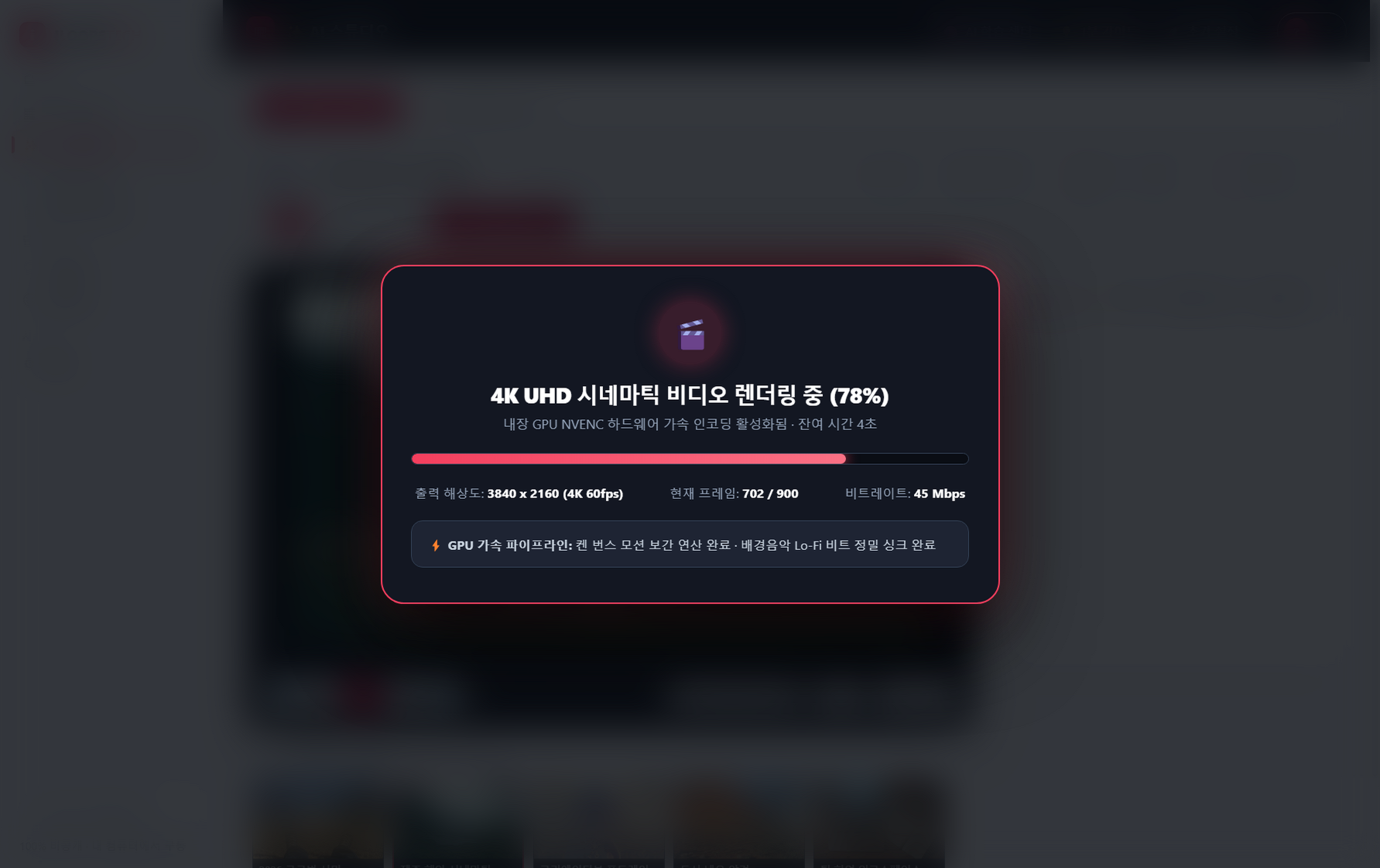
Turn photos and clips into finished reels with Ken Burns motion, studio voiceovers, and synced subtitles rendered locally at 60fps.

  • 1Open AI Studio → select source photos from tags, people collections, or smart search.
  • 2Click '✨ Auto-pick' to receive AI recommendations and adjust slide durations on the storyboard.
  • 3Apply cinematic transitions (crossfade, slide, wipe, circle dissolve) and custom title overlays.
  • 4Generate local neural voiceover narration and export to 1080p/4K MP4 video or editable PPTX deck.
13 Cinematic Transitions Ken Burns Smooth Motion Visual Storyboard Timeline Local Neural TTS Voiceover 1-Click MP4 & PPTX Output
ILOOPSTECH Engine — duplicates_audit.log
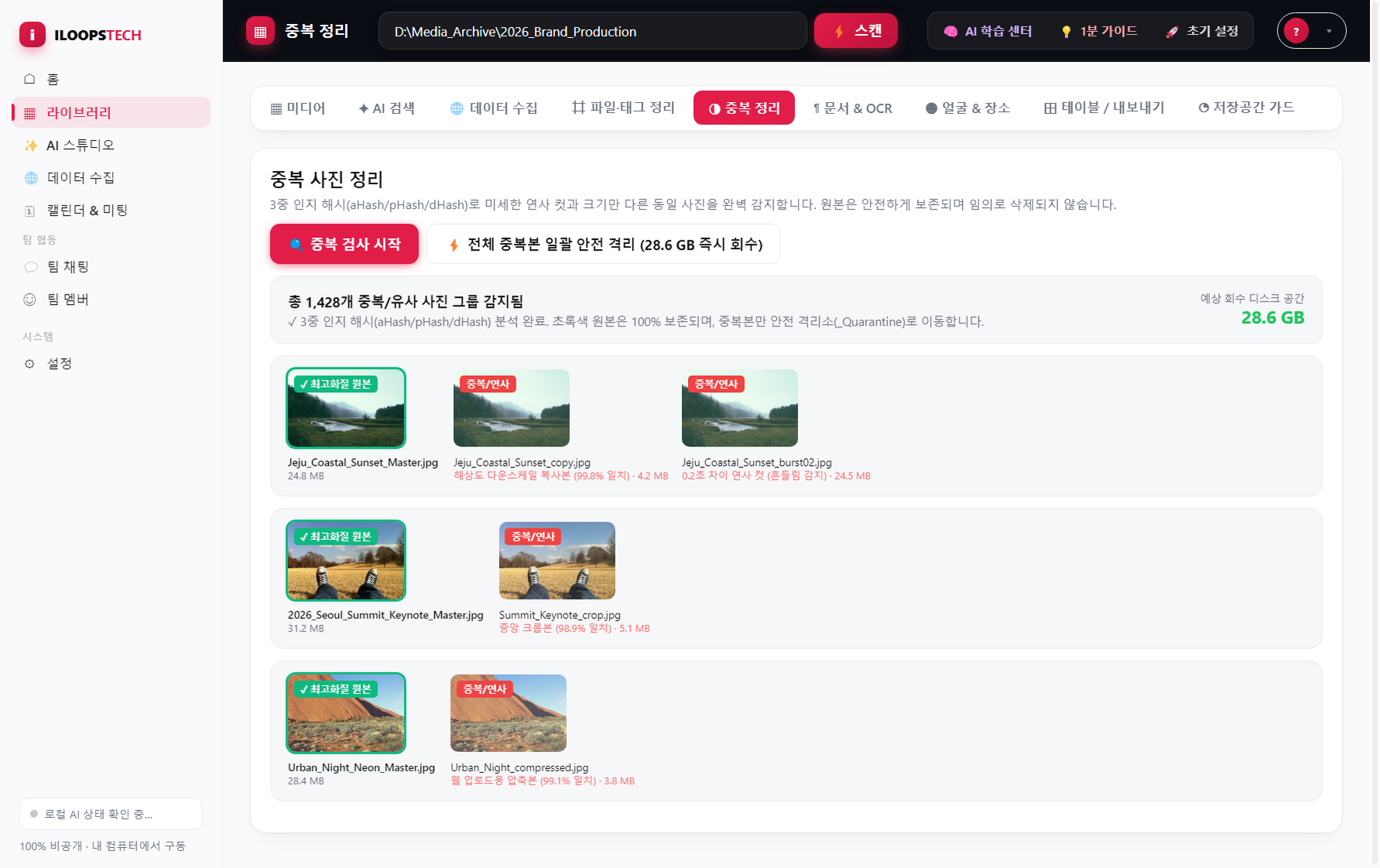
ILOOPSTECH Duplicate Scanner
Triple-Hash (pHash+dHash+aHash) Live Fusion Inspector Combined Similarity: 99.2% Match
★ Master High-Res Original [Preserved]
4K RAW
File Name:IMG_8940_MASTER.cr2
Resolution:4096 × 2730
Size / Date:14.8 MB · 2026-09-15
⚠️ Burst Duplicate #2 [Quarantine Recommended]
Burst Duplicate
File Name:IMG_8940_BURST_02.jpg
Resolution:1920 × 1280 (Compressed)
Size / Saved:3.2 MB (Reclaimable)
Triple-Hash Fusion Mathematical Verification:
pHash (Perceptual)
64/64 bit (100%)
dHash (Gradient Difference)
98.4% Match
aHash (Average Luminance)
99.1% Match
✓ 3.2MB Quarantined Safely (Reversible) [1-Click Undo]

03 / Storage Optimization & Safe Quarantine

Triple-Hash Cleaner. Zero bytes wasted.

pHash, dHash, and aHash mathematically isolate burst shots and near-duplicates. Safely reclaim gigabytes of storage.

  • 1Open Duplicates tab and click 'Start Precision Duplicate Scan'.
  • 2Review clusters with similarity percentages; highest-resolution masters are auto-recommended.
  • 3Use quick selection hotkeys or apply batch auto-selection rules.
  • 4Click 'Move to Quarantine' to free up tens of gigabytes instantly with full undo capability.
pHash + dHash + aHash Fusion Configurable Similarity Threshold Non-Destructive Safe Quarantine Reclaim Tens of GBs in 1 Click
ILOOPSTECH Engine — character_bible.db
ILOOPSTECH Facial Memory & People

04 / Facial Memory & Character Bible

Facial Memory. Every face, remembered.

128-dimensional facial embeddings organize personal timelines automatically on your machine without third-party cloud leakage.

  • 1Open the People module to browse automatically clustered face avatar groups.
  • 2Name the person and verify face crop samples to train the local recognition profile.
  • 3Click ✎ Edit to attach roles, character notes, and details to your person profile.
  • 4Filter by individuals or multi-person combinations instantly.
128-D Embeddings · Continuous Learning Crowd & Group Photo Detection Character Bible & Role Cards 100% On-Device Privacy
ILOOPSTECH Workspace — #creative-channel
ILOOPSTECH Team Tasks & Chat

05 / P2P Team Collaboration & Action Items

Intelligent Chat. Conversations into tasks.

Local NLP captures action items and deadlines from team dialogue in real time, merging chat directly into project execution.

  • 1Select asset in Library → click '👤 Assign Task' → set assignee, task type, and deadline.
  • 2Or simply chat naturally in channels mentioning a teammate and a timeline; NLP detects it automatically.
  • 3AI pins the detected task card to channel header, linked directly to the media source.
  • 4Assignee receives instant notification and manages checklist progress in the master calendar.
On-Device NLP Task Parser Lossless Full-Fidelity Sharing $0 Per-User Seat Fees Channel-Level Role Permissions
ILOOPSTECH Conference — p2p_call_session
ILOOPSTECH WebRTC Video Meetings

06 / P2P Video Meetings & Local Transcripts

P2P Meetings. Zero cloud fees.

Encrypted WebRTC video calls, screen shares, and recordings hosted right on your desktop with zero server subscription fees.

  • 1Click '📹 Start Call' at the top of any channel to spin up an encrypted conference room.
  • 2Share the 1-click secure link — guests join directly in browser without installing software.
  • 3Share screen, enable microphone noise reduction, and engage with live emoji reactions.
  • 4Click '⏺ Record' to save video and timestamped Whisper transcript text to local storage.
Direct Browser P2P WebRTC Offline Whisper STT Engine Full-Res Screen Share & Record Zero Third-Party Cloud Fees
ILOOPSTECH Operations Schedule Hub — calendar.grid
ILOOPSTECH Operations Calendar

07 / Unified Master Calendar & Scheduling

Operations Calendar. Every deadline in sync.

Unified operations calendar orchestrating media production timelines, team deliverables, and distribution schedules seamlessly.

  • 1Switch to Calendar tab to view the monthly color-coded grid of deadlines and meetings.
  • 2Filter by team members, priority, or project tag to focus on urgent deliverables.
  • 3Schedule recurring AI pipelines such as weekly highlight renders or monthly photo recaps.
  • 4Click any date card to review source media or join scheduled video meetings with one click.
Master Operations Month View Recurring Pipeline Triggers Interactive Task Checklists Direct Media Asset Attachment
ILOOPSTECH Engine — rag_documents.idx
ILOOPSTECH Document Knowledge RAG

08 / Document Knowledge Base & RAG

Document Intelligence. Grounded in your files.

Analyze PDFs, reports, and research decks on-device to synthesize video storyboards with verifiable factual citations.

  • 1Click '📂 Learn Docs' in AI Studio and specify the directory containing reference documents.
  • 2Local OCR and text extraction parses PDFs, DOCXs, and TXTs into structured semantic chunks.
  • 3Generate video scripts, executive summaries, or deck drafts with Fact-Binding mode active.
  • 4Outputs display inline citations referencing exact source page numbers and paragraphs.
Source-Grounded Document Engine Local PDF, DOCX & Scan OCR Inline Source Citations Confidential Data Security
ILOOPSTECH Engine — subtitles_120lang.srt
ILOOPSTECH Speech & Subtitles

09 / Audio Separation & Multilingual Captions

Dynamic Subtitles & TTS. Spoken in 120+ tongues.

Apple Music style word-synced subtitles combined with 48kHz neural TTS voiceovers across more than 120 global languages.

  • 1Import video into AI Studio and click '🎙 Extract Speech' to generate timestamped subtitles.
  • 2Select target language from 120+ options and click '🌐 Translate' for offline translation.
  • 3Customize typography: font weight, stroke outline, backdrop box, and safe areas.
  • 4Render video with burned-in subtitles or export standalone .SRT / .VTT subtitle files.
120+ Language Offline Translation Speaker Separation & Word Timestamps Burned-In Open Caption Renders Standard SRT / VTT Export
ILOOPSTECH Engine — tunnel_config.yml
ILOOPSTECH Cloudflare Quick Tunnels

10 / Secure Remote Access & Data Sovereignty

Secure Edge Tunnel. Connected anywhere, safely.

Zero-trust remote access powered by Cloudflare edge tunnels without router port-forwarding or public IP exposure.

  • 1Go to Settings → 'Remote Access' → toggle 'Enable Cloudflare Quick Tunnel'.
  • 2Desktop engine launches the outbound secure tunnel binary automatically (no router tweaks).
  • 3Copy the generated HTTPS URL and share it with remote teammates.
  • 4Use LAN direct mode when on the same local Wi-Fi for gigabit local transfer speeds.
Zero Router Port Forwarding Free Outbound Encrypted Tunnel No Static IP or DDNS Needed End-to-End AES-256 TLS Encryption

Experience True Data Sovereignty with ILOOPSTECH

Download ILOOPSTECH for Windows and start your 15-day free trial. All features unlocked instantly.